
By Fred Flamer
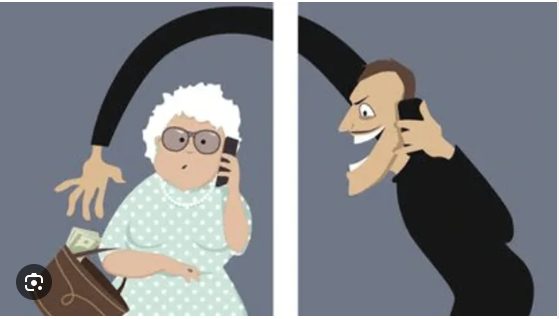
Scams involving impersonation, credit card fraud, title fraud, medical and dental fraud, sweetheart scams, and other crimes built around finely crafted social engineering techniques continue to target people across the country.
And is it any wonder that our senior population is such an attractive target?
Many seniors did not grow up with the technology that has become second nature to younger generations. At the same time, they may have spent a lifetime accumulating assets: retirement and savings accounts, significant home equity, good credit, jewelry, investments, and other valuables.
To a scammer, that combination can make a senior an attractive target.
But I want to make something very clear: being older does not mean being helpless.
In my opinion, seniors who are informed, develop a reasonable degree of technical literacy, and maintain regular communication with trusted family members and friends put themselves in a much stronger position to recognize and avoid scams.
Having someone you trust occasionally review financial transactions with you, discuss unusual phone calls or emails, and question unexpected financial activity can provide another valuable layer of protection.
Isolation Can Create Opportunity
Let's get real for a moment.
There are many seniors in our communities who are not regularly connected with people who truly have their best interests at heart. Some are widowed. Some never had children. Others have family members who live hundreds or even thousands of miles away.
Some are dealing with health challenges or limited mobility. Others may no longer participate in organizations such as churches, social clubs, community groups, or other activities that once provided regular human interaction.
Technology can help fill that void.
The internet gives us incredible opportunities to communicate, shop, bank, learn, and entertain ourselves without leaving home. But that convenience also creates opportunities for criminals.
You've probably heard the old saying:
"I know just enough to be dangerous."
Well, that can certainly apply to technology!
A person may know how to use email, Facebook, online banking, or a web browser without necessarily understanding malicious links, fake websites, phishing emails, impersonation scams, or fraudulent advertisements.
That is why I believe seniors need practical cybersecurity education—not complicated technical jargon, but simple instructions they can actually use.
So, let's talk about a few things that can make a difference.
Never Give Personal Information to Someone You Cannot Verify
This sounds simple, but today's scammers can be extremely convincing.
They may know your name. They may know where you bank. They might even know the names of family members. With information gathered from social media, data breaches, public records, and other sources, a criminal can know enough about you to sound legitimate.
If someone unexpectedly contacts you and begins requesting account information, passwords, Social Security numbers, verification codes, or money, stop the conversation.
Don't allow the caller to control the situation.
Hang up and contact the organization yourself using a telephone number obtained independently—from the back of your bank card, an official statement, a trusted bookmark, or the organization's verified website.
Never rely on the callback number provided by the person who contacted you.
Remember:
Emotion up = Decision making down.
If someone is making you frightened, excited, angry, or rushed, that is exactly when you need to slow everything down.
Enable Two-Factor Authentication
I know two-factor authentication—or 2FA—can sometimes feel like a headache.
Think of it as an additional lock protecting your digital front door.
Even if a criminal somehow obtains your password, the second authentication factor can make it much more difficult for that person to access your account.
Whenever possible, enable 2FA or multi-factor authentication on important accounts, particularly email, banking, financial, and social media accounts.
And here's another important rule:
Never give an authentication or verification code to someone who contacts you and asks for it.
That code may be the final piece the criminal needs to enter your account.
Use Bookmarks for Important Websites
Let's say you regularly bank online with Chase.
Once you have independently verified that you are on the legitimate website, save it as a bookmark or favorite.
Why?
Because criminals register deceptive domain names designed to resemble legitimate companies. They may also create convincing copies of real websites hoping that victims will enter usernames, passwords, or financial information.
A trusted bookmark reduces the chances of reaching a fraudulent website through a mistyped address, misleading advertisement, or fraudulent search result.
For websites involving money or sensitive personal information, I like this rule:
Verify it once. Bookmark it. Use the bookmark.
Protect Your Devices and Accounts With Strong Passwords
Any device or account that supports password protection should be properly secured.
If you have internet-connected equipment such as a router, make sure default administrative passwords are changed.
For your online accounts, use long, unique passwords or passphrases. Most importantly, do not reuse the same password across multiple important accounts.
If remembering dozens of unique passwords becomes difficult—and for most of us it will—consider using a reputable password manager.
Every important account should have its own password.
That way, if one company suffers a data breach, a stolen password cannot simply be reused by criminals to unlock several of your other accounts.
Verify Before Clicking Links or Opening Attachments
Treat unexpected links and attachments with caution.
Before clicking a link in an email or message, ask yourself:
Was I expecting this?
Look carefully at the sender's address. On a computer, hovering your mouse over a link can reveal its actual destination before you click it.
But remember: a link can still look convincing.
When in doubt, don't use the link at all. Open your trusted bookmark, official app, or independently verified website instead.
The same rule applies to unexpected attachments.
When you aren't sure—don't open it.
Keep Your Devices Updated
Those update notifications that seem to appear at the worst possible time actually serve an important purpose.
Software updates frequently contain security fixes for vulnerabilities discovered in operating systems, browsers, applications, and other software.
Don't repeatedly postpone important security updates.
Whenever practical, enable automatic updates from legitimate software vendors and keep your phones, tablets, computers, browsers, and other connected devices current.
Use Social Media Privacy Settings
Social media can be a wonderful way to stay connected, but remember that criminals use social media too.
Review your privacy settings and limit what strangers can see.
Think carefully before publicly sharing your birthday, address, vacation plans, phone number, family relationships, financial information, or other personal details.
A scammer can collect small pieces of information from several sources and combine them into a surprisingly detailed picture of your life.
Be Careful With Public Wi-Fi
Public Wi-Fi can be convenient, but sensitive activities deserve extra caution.
Avoid conducting important financial transactions on networks you don't trust when you have a safer option available.
Your cellular connection or another trusted network may be a better choice for banking and other sensitive activities.
And regardless of the network you are using, make sure the websites you visit are legitimate and your device remains updated.
Regularly Review Your Financial Accounts
Don't wait until the end of the year to discover something is wrong.
Regularly review your bank accounts, credit cards, and other financial statements for transactions you don't recognize.
Consider enabling account alerts for purchases, transfers, password changes, and other significant activity.
The sooner suspicious activity is discovered, the sooner you can contact the financial institution and take appropriate action.
Stay Vigilant—but Don't Be Afraid
I know all of this can sound exhausting.
Nobody wants to spend every waking moment wondering whether the next phone call, email, or text message is a scam.
You don't have to.
You simply need to develop what I like to call your "Spidey Sense."
If something doesn't feel right, stop.
If someone is rushing you, slow down.
If someone demands money, verify the story.
If someone asks for a password or verification code, don't provide it.
If you're confused, ask someone you trust.
Stop. Think. Verify.
Artificial intelligence is making it increasingly possible to create convincing voices, videos, images, messages, and documents. That means some of tomorrow's scams may be considerably more difficult to recognize simply by looking or listening for obvious mistakes.
Our defenses must evolve too.
And perhaps one of the most powerful defenses isn't technical at all.
Stay connected.
Call your parents. Check on your grandparents. Talk with older neighbors and friends. If distance makes physical visits difficult, use FaceTime, Zoom, or another communication platform.
A five-minute conversation with someone you trust could interrupt a scam before thousands of dollars disappear.
Technology may be changing.
Criminals may be changing.
But looking out for one another never goes out of style.
Stay informed. Stay connected. Stay vigilant.
And never forget:
Emotion up = Decision making down.
-Fin-
#SeniorSecured #SeniorCyberSafety #ScamAwareness #StopThinkVerify
© 2026 Fred Flamer. All Rights Reserved.